A real app, installed from the browser
Install on Android or iPhone in two taps — home-screen icon, bottom navigation, camera capture, and offline breakdown reporting that syncs when the network returns. No app-store friction, always current.
What AssetAI does
Installable PWA
Android: one tap. iPhone: Share → Add to Home Screen. Updates flow automatically.
Offline capture
Scan pages work without network; reports queue with a visible banner and auto-submit later.
Camera-first forms
Fault photos, repair photos, meter photos, nameplate scans — the camera is a data-entry device.
Built for gloves
Big tap targets, card lists, bottom nav, back buttons everywhere.
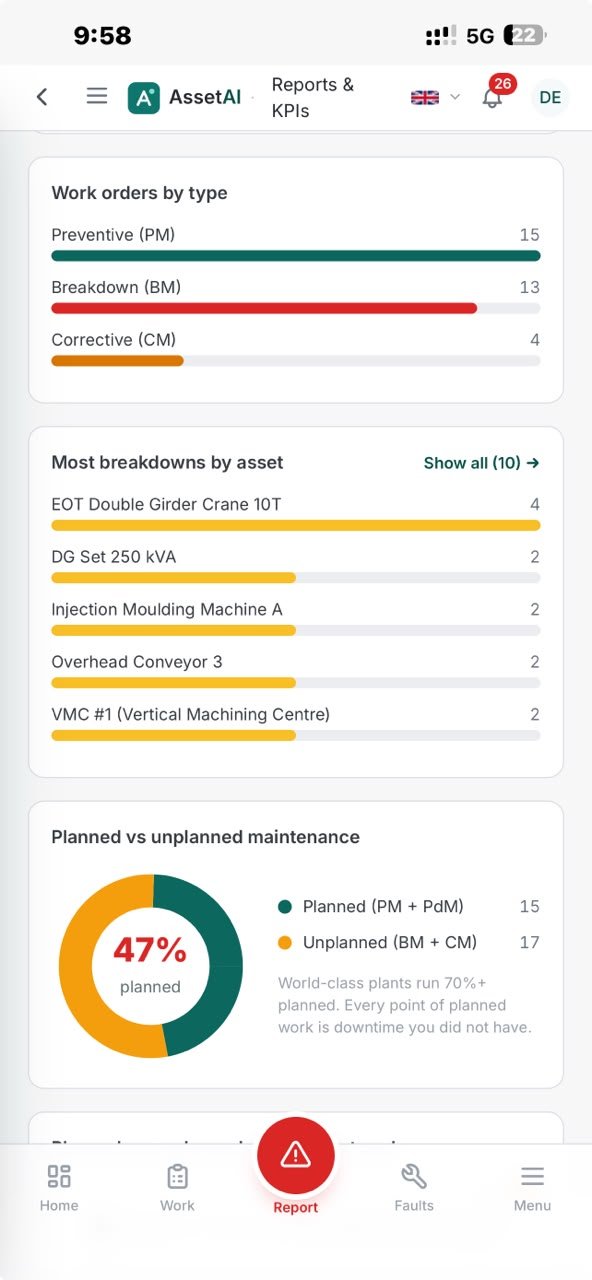
The AssetAI mobile app — dashboard and breakdown reporting on the shop floor.
Setting up the mobile experience correctly matters as much as the technology underneath it. A few practical points cover how to install it, what it costs to maintain, and where teams sometimes misjudge what "offline" actually promises.
Getting It Onto a Shop-Floor Phone
There's no App Store or Play Store listing to hunt down — installation happens straight from the browser. An operator or supervisor opens the AssetAI link on any Android or iPhone, adds it to the home screen, and gets four shortcuts waiting there: report breakdown, scan asset, work orders, meter reading. That's the entire rollout.
A few things worth planning for on Indian shop floors specifically:
- Shared devices: many plants issue one phone per line or per shift rather than one per person — the four-shortcut layout is designed to work for whoever's holding the phone, without a login step for breakdown reporting.
- Low-spec Android hardware: because it's a browser-installed PWA rather than a heavy native binary, it stays light on older or budget devices common on the floor.
- Rollout without IT tickets: there's no app-store approval cycle, version gate, or MDM push required — a link and two taps is the whole install path, which matters when a maintenance supervisor wants coverage across a shed before the next shift starts.
Where Teams Misjudge "Offline"
The most common mistake is assuming that because breakdown reporting survives a total network drop, everything else does too. It doesn't, and that's by design rather than an oversight:
- Work-order creation, edits, and meter-reading submission all need a live connection today — there's no confirmed offline queue for those flows, so a planner checking work-order status mid-shift is looking at cached data that's only as current as the last successful sync.
- QR asset scanning assumes the scan page can resolve online — there's no offline asset-master cache, so scanning a tag in a dead zone won't return asset details until connectivity is back.
- The branded offline page that appears outside the precached shell is a graceful failure state, not a working screen — it tells the operator the app is still there, not that the requested data has loaded.
Treating the offline breakdown queue as the one dependable exception — rather than assuming the whole app works offline — avoids surprises during an actual outage. Teams evaluating a CMMS for a multi-shed plant should scope expectations around that distinction early, particularly if parts of the facility (basements, shielded machine rooms, large sheds) are known weak-signal zones.
Fitting This Into a Wider Maintenance Program
The mobile app is one piece of a broader maintenance setup — it's most useful when paired with the work-order and asset-tracking features that live behind it. Plants running toward TPM or tracking OEE will find that fast, low-friction breakdown capture on the floor feeds directly into the downtime data those calculations depend on — a delayed or skipped report is a gap in the record, not just a missed notification. If you're comparing this against other approaches to floor-level reporting, the features overview covers how mobile capture connects to work orders and asset history, and pricing has details on what's included at each plan tier. For plants weighing this against sector-specific rollout patterns, the industries and use-cases pages have relevant detail, and ISO's standards library is a useful reference if you're aligning maintenance documentation with a broader quality framework. Teams wanting a closer look before committing can book a demo.
Illustration of QR breakdown capture on mobile — not an actual screenshot.
On Indian shop floors, network reliability is rarely uniform across a single shift — a signal that's strong near the office block often disappears entirely inside a shielded machine room or basement store. AssetAI's mobile experience is built around that reality rather than around an idealised always-connected plant, which is why "offline mode" here means something specific and testable, not a marketing blanket term.
What Stays Usable When the Network Drops
The app shell — icons, offline page, manifest, the basic chrome — is precached by a service worker, so it loads even with zero connectivity. Beyond that shell, behaviour is intentionally split into two patterns:
- Static assets (fonts, icons, core UI files) are served cache-first and refreshed quietly in the background, so they're fast and don't wait on the network.
- Shop-floor pages — the screens operators actually tap through during a shift — are network-first but always keep a last-good cached copy. If the connection drops mid-shift, the operator sees the last data that loaded rather than a blank screen or error.
Anything that can't be resolved either way falls back to a branded offline page instead of a raw browser error. This distinction matters for plant IT teams evaluating the tool as part of a broader CMMS rollout: it's honest about what is genuinely offline-capable versus what degrades gracefully.
The One Flow That Survives a Total Network Drop
Breakdown reporting is the flow engineered to work end-to-end with no connectivity at all. If a technician's phone is offline when they hit submit, the entire form — description, category, photos included — is stored on the device. A banner confirms it's queued, and the report uploads automatically once the phone reconnects. This is deliberately narrow in scope: work-order creation, edits, and meter-reading submission all assume a live connection today, so planners should treat those as connectivity-dependent tasks rather than assume the same offline queue applies.
It's worth being precise about what this app is and isn't. It installs as a progressive web app — added to the home screen from a browser in a couple of taps — rather than a native app distributed through the Play Store or App Store. For most plants this is an advantage: no app-store approval cycles, no forced update prompts, and the version on the phone is always current with what's deployed. But it also means IT teams shouldn't plan around app-store distribution, install analytics, or OS-specific store listings — those mechanisms don't apply here.
Where This Fits on the Floor
The mobile app is most valuable in exactly the plants covered under our industries pages — high-mix manufacturing with weak-signal zones, older buildings, or large sheds where WiFi coverage is patchy by design, not by neglect. Combined with the QR-scan-to-report path that needs no login, it gives operators a way to raise a breakdown without a laptop, a password, or a trip to the maintenance office. Supervisors get a similar benefit between rounds: work-order status on a phone, with the understanding that live status still needs a live connection, same as any TPM-aligned maintenance practice depends on timely, accurate reporting.
To see how this plays out on your own floor — including the dead zones — a 30-minute demo run against your actual layout will tell you more than any spec sheet. If you're still comparing options, our pricing page outlines what's included at each tier.
Mobile App & Offline Mode FAQs
Can I report a breakdown on the plant floor if the WiFi drops?
Yes. If your phone loses connection while filling out a breakdown report, AssetAI stores the entire form—including photos—on your device and queues it automatically. A banner alerts you that the report is waiting to sync. The moment connectivity returns, the queued breakdown uploads without you needing to do anything. This ensures breakdowns are never lost even in dead-zone areas of your shop floor.
How do I install AssetAI as an app on my phone without using the Play Store?
AssetAI installs directly from the web browser as a progressive web app (PWA). Open the platform in your mobile browser, tap the menu, and select "Add to Home Screen." It appears as a standalone app with your branded icon and theme color—no app store download required. You launch it like any other app, but it runs inside a web container.
What happens if I'm offline and try to view a work order or asset record?
The app shows you the last version of that page that was successfully loaded and cached on your phone. This "last-good copy" persists even without network, so you still have access to recent asset data, maintenance history, and work order details while offline. Once you regain connection, the app refreshes the data in the background and updates what you see.
Why doesn't the mobile app work offline for creating new work orders?
Offline work-order creation and editing have not been verified and are not currently supported. The platform focuses offline capability specifically on breakdown reporting with photo attachment, which is the most time-critical shop-floor need. Creating or modifying work orders requires server validation and synchronization that the current offline architecture does not yet handle reliably.
If I'm in a WiFi dead zone, will the app crash or show an error?
No. Any page that cannot be reached falls back to a branded offline page instead of a browser error screen. Shop-floor pages—the ones operators use most—stay readable because they hold a cached copy of the last data pulled from the network. The app degrades gracefully rather than breaking.
Can I take photos of damaged equipment and attach them to a breakdown report while offline?
Yes. You can capture photos, fill out the entire breakdown form, and submit it all while offline. The complete submission—form data and photos together—is stored locally on your device. Once you move back into a WiFi area or regain cellular connection, everything syncs to the server automatically without manual re-entry. Learn more about how CMMS platforms integrate mobile reporting into maintenance workflows.
If I sync a work order offline and then lose connection again, will the changes be saved?
Yes. Once you tap "sync," AssetAI saves changes locally first, then uploads them when reconnected. You'll see a sync status indicator showing pending or completed. Check work order status to confirm uploads went through after WiFi returns.